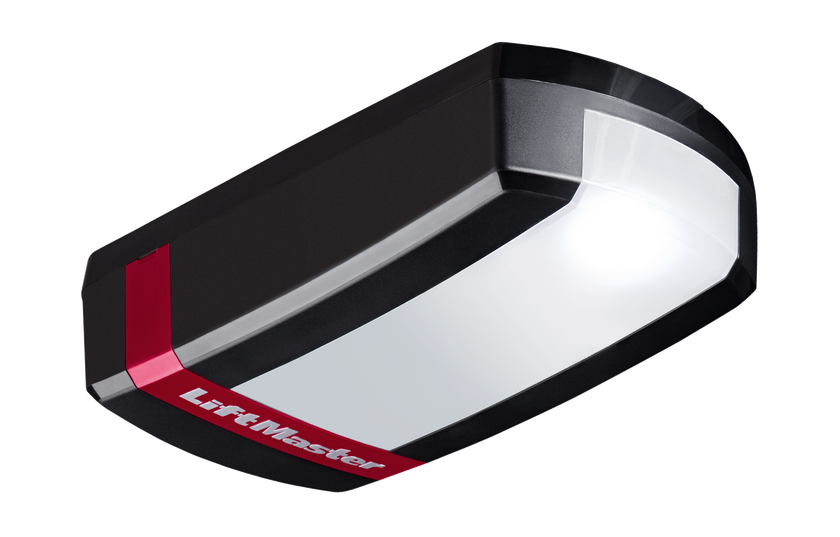
Garage Door Openers - EVX
Gate Openers Accessories Spare Parts myQ
My cart
Your statutory warranty is not impacted and may differ depending on the country you have purchased your goods. For any extended manufacturer’s warranty and its coverage and conditions, please refer to the respective overview here(add the link to warranty statements of LM)
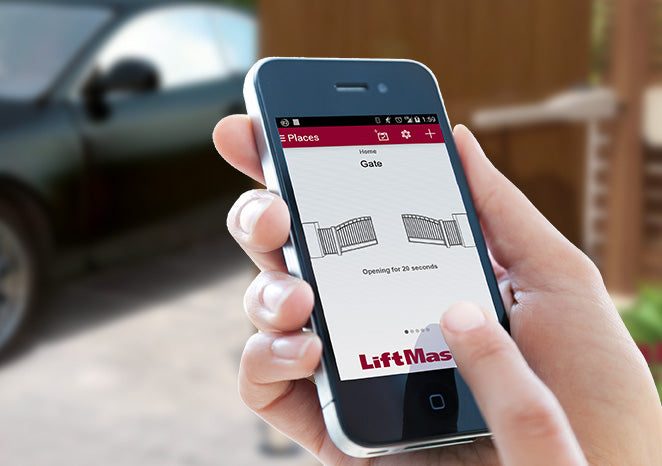
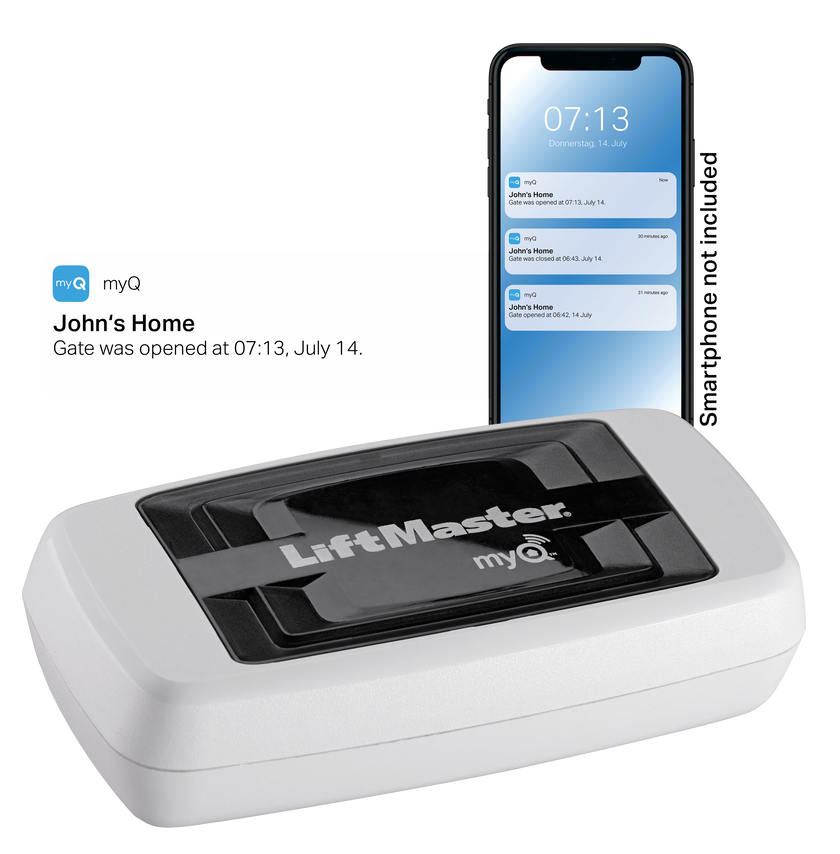
myQ is a cloud-based software that monitors and controls your myQ compatible garage door and gate opener remotely. By using a compatible smart phone or Apple Watch with the myQ App installed, you can check the status of your garage door / gate, and open and close it remotely. The myQ App will also send notifications of any activity to your smartphone . Upon a request from you, your smart phone communicates with the myQ servers which ultimately communicate to your garage door opener via your home’s router. You garage door opener needs to be connected to your home’s internet by a plug-and-play device known as an internet gateway (828EV). Set-up is easy and takes a couple of minutes. To operate your garage door via the myQ App, we insist on the installation of monitored entrapment protection (Safety IR Beams) to ensure your garage door or gate will reverse if someone or something is obstructing it, preventing damage to property, serious injury or even death. It is also a safety requirement under European standards.
Liftmaster uses sophisticated security techniques and regular audits to ensure our products are secure and we are at the forefront of the latest security measures. Liftmaster has made some software changes in our previously released myQ App update to eliminate the possibility of a real-world attack by notifying the homeowner that communications with the door or gate have been lost. These updates are in effect for everyone using the myQ App.
"myQ technology is designed to give you peace of mind when you’re away from home. With Liftmaster´s myQ technology, your garage door or gate is constantly monitored. You can check the status of your garage door or gate in the myQ App at any time. The myQ App sends real-time notifications , so you know your garage or gate is secure or if it’s been accessed while you’re away. Liftmaster’s myQ technology allows you to monitor and control your garage door or gate no matter where you are, from your smartphone, tablet and sends real-time alerts and notifications when the garage door is opened, closed or left open for a period of time. You can also easily check when your garage has been accessed via the History tab in the App.
To view your history in the myQ App:
Log into your myQ account
Tap the menu bar at the bottom
Tap on History"
Your garagedoor opener provides a level of comfort and security. to inhance this you can add MyQ, and on certain doortypes a delatching kit.
There are a number of ways to check if your garage door opener is myQ compatible. If you can see your garage door opener, look for a myQ icon on the actual product. If it has a myQ icon on the physical product, this means that the product is myQ compatible. If it is difficult to physically see your garage door opener, then you can search for the product via our website to determine if your garage door opener is myQ compatible, otherwise contact our Customer Service team and they will be able to confirm.
The myQ app promotes various “Works with” partners that allow users to monitor and control their door using these partner apps. Each of these partnerships are based off a regional relationship. Currently, myQ does not work with Google Assistant or Apple HomeKit in Europe. As new features or partnerships are made available in Europe, existing users will be notified through their app’s notifications.
The myQ app promotes various “Works with” partners that allow users to monitor and control their door using these partner apps. Each of these partnerships are based off a regional relationship. Currently, Amazon Key is not compatible with our myQ system in Europe. As new features or partnerships are made available in Europe, existing users will be notified through their app’s notifications.
Currently, myQ does not. The myQ app promotes various “Works with” partners that allow users to monitor and control their door using these partner apps. Each of these partnerships are based off a regional relationship. Currently, myQ does not work with any car brands in Europe. As new features or partnerships are made available in Europe, existing users will be notified through their app’s notifications.
If your operator starts
production date 2013 you need to use the TX4EVS-01, TX4UNIS-02or 041ATX4EVF, TX4UNIF-02 If production
date is from 1997 till 2013 on the 433 Mhz Frequency you can use the
TX4UNIS-02 or TX4UNIF-02 If frequency is 27 Mhz or 418Mhzthen use our external receiver 860EV ( 12V
power transformer G23012UNI-01 if needed) and remotes 041ATX4EVF. If 27 Mhz
or 418 Mhz and customer does not want an external receiver, then replace the
complete system with one of our new models.
Our latest keypad (780EV and 747EV) or wall control (128EV) is only compatible with our operators starting production date 2013
The accessory power output (30V connection) shut down after 2.5 minutes. To disable the super-standby: pull the 230V power plug (so take the power away) then press the arrow up and down together, keep them pressed when you power the operator, when the LED light starts blinking more then 2 times you can release the buttons.To enable super-standby, do the same again (LED will blink 2 times)
Learning the force only, press the yellow round button twice and either the up or down arrow will blink press the blinking arrow once the door will travel and stops at the endlimit, than press the other blinking arrow and the door will travel back. And the arrows will stop blinking
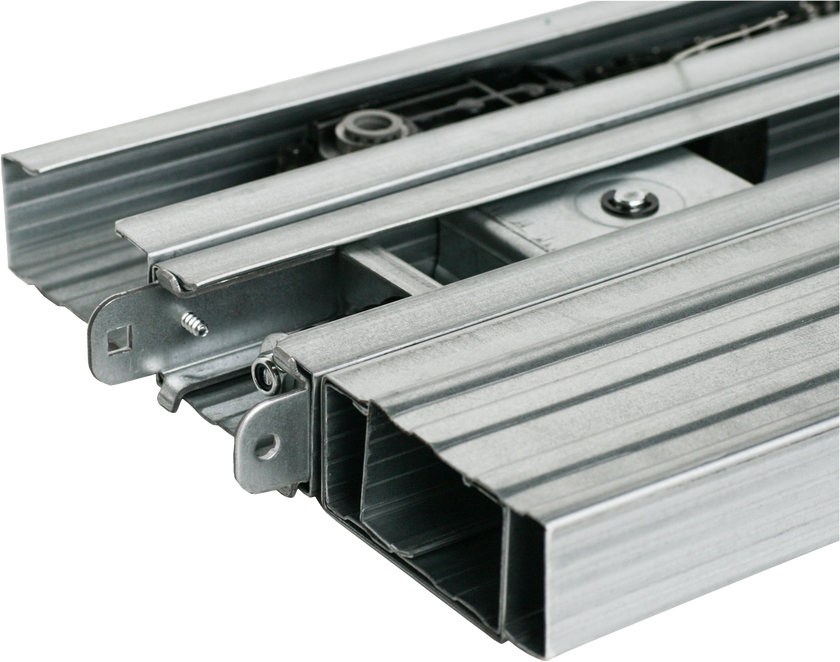
Yes. You need a matching drive rail. If the operator is built before 2013, then yes replace rails and motorhead
Depends on the type of door, size and weight of the door.
Move the door by hand so the trolley slider is over the yellow belt connector, then press the green button on the trolley to re-engage. Test by hand if door is re-connected.
Check if your reference clip (beltdog = a small white plastic clip on your toothed belt) is still fixed on the drive belt. You find the beltdog when looking towards the back of the door, at the right-hand side (same side as yellow belt connector) about 30 to 40 cm away from the motor (between belt and rail). If missing, then you can order it as a spare part.If it is not missing, then check your microswitch on top of the operator just behind the motor shaft
Yes. (add the link to explanation. Content has to be created)
For our EVFA garage door operators use the 827EV ( inside use only).
A factory setting is not possible You can overwrite the actual setting
Only for the EVFA models using the ADP-1EVO adaptor device.
yes, with using the correct drive rail. We also offer a special adaptor ADP-1EVO to enable safety edges, if needed.
The courtesy light is set to stay on for a fixed time. You can use the 78EV wired push button to switch the garage door opener lights on and off. The LM750EVGB-1 has software to enable you to switch the light on / off via the remote.
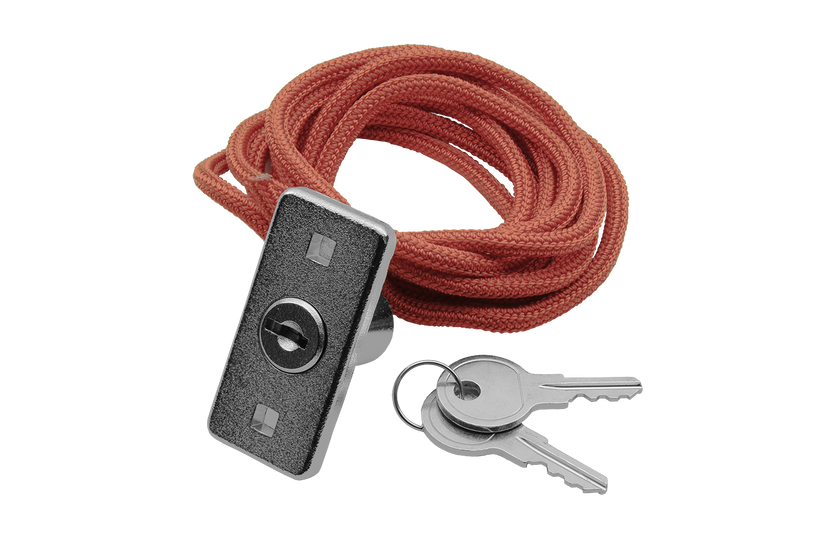
Not enough tension was applied to the belt during assembly. With the door at or near the closed position, disengage the trolley (pull on the red cord). Apply more tension, re-engage the trolley by pressing the green button and reset the travel and force limits.
depends on which model. Each model type has a specific radio code.
We recommend checking your garage door every year.
A learn button is on the actual garage door unit and is used to program remotes, MyQ and set tolerance levels for the door.
Is the door blocked by anything? Pull manual release and check if door is correctly ballanced and moves freely. contact your local installer for service.
Re-program travel limits and force of the opener. Check for alterations in the mechanical components, e.g. door arms and fittings. After each new setting of the door position ‘Closed’, the automatic safety reverse should be checked for function.
Disconnect the power from the mains supply for a short time and try again. The lights should stay on for 2.5 minutes.
Is a battery inserted? Put in a new battery. Try radio control in the car at another location. The transmission range diminishes for metal doors, aluminium or metal panels.
Is the door blocked by anything? Pull manual release and operate door by hand. In case of unbalanced or stuck gate, please contact the service department.
Re-programme stretch of way of the opener. Check for alterations in the mechanical components, e.g. door arms and fittings. After each new setting of the door position ‘Closed’, the automatic safety reverse should be checked for function.
Disconnect the power from the mains supply for a short time and try again. The 2.5 minutes are not yet over.
Door springs may be defective or the door is stiff in one direction. If the door is fine, re-program force and travel limit so f the opener.
MyQ is a closed platform what makes it very safe and secure and is maintained by our inhouse MyQ team. Since 2013, Liftmaster products have been protected by our Security+ 2.0 technology – the highest level of security encryption available in the market. We encourage customers with garage doors to ensure they have secure, safe and high-quality garage door openers installed and only use genuine accessories, to ensure the safety and security of their homes, belongings and loved ones. If any Liftmaster customers have questions or concerns, we recommend contacting your dealer or directly on +4968187080100.
The warranty will vary depending upon product purchased. This can be 3-, 4-, 6-, 8- or 10-year motor warranty. PCB warranty and other parts is 5 years
Battery backup is available for the gate operators: item 490EV (2x)
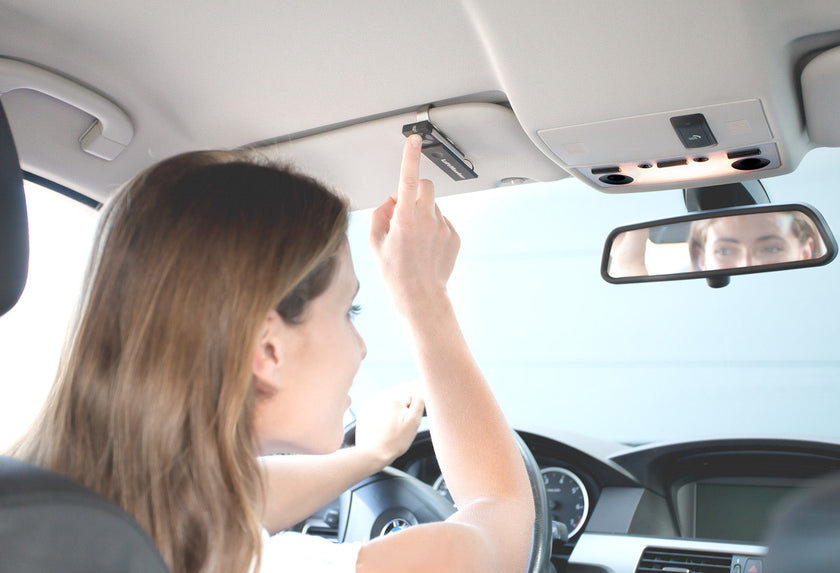
The Liftmaster operators are Homelink compatible. The vehicle may not have compatible software/hardware, then use the Homelink receiver PR433-4 + TX4UNIS-02 or TX4UNIF-02.
Just reprogram the end limit settings.
They use both, our 868Mhz and 433Mhz 2+ security frequency at the same time.
You can program up to 180 remotes (individual buttons) depending on which model of opener/operator you have
If your gate operator use the frequency 433Mhzyou need to use the TX4UNIS-02 or TX4UNIF-02.
If your gate operator has CB124EV or
CB324EV control board you can to use the TX4EVS-01, TX4UNIS-02 or 041ATX4EVF
and TX4UNIF-02.
Our latest keypad (780EV and 747EV or 850EV) is only compatible with our operators starting the model number with LA, AA , SL and SUB324 (with logic board CB124EV).
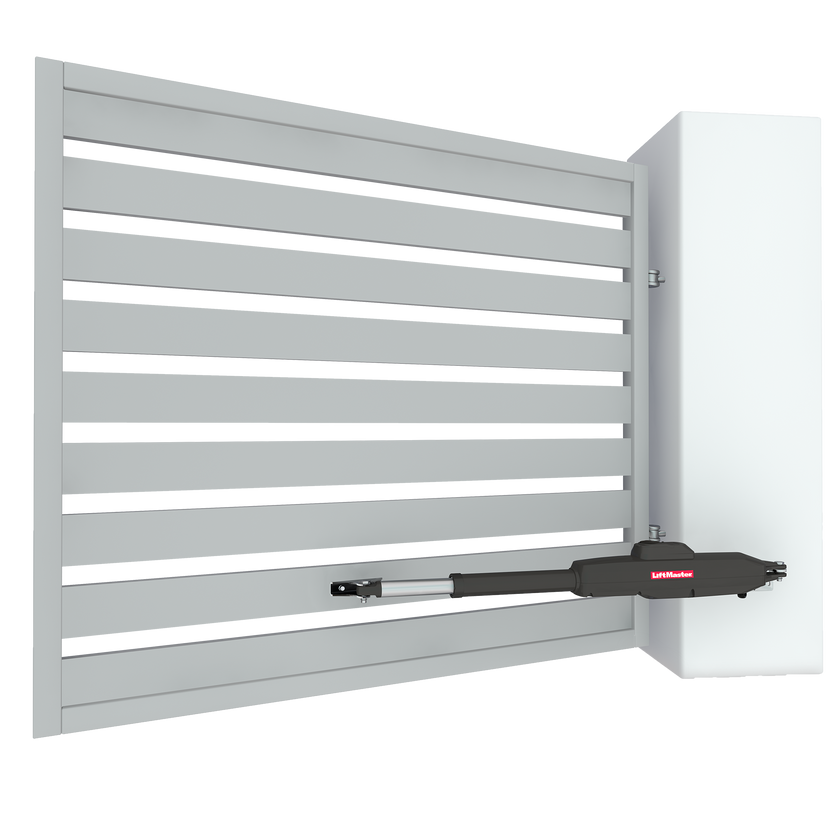
Depends on the type, size and weight of the gate. And the size and position of the posts/hinges for a swing
gate.
It depends on number of cycles per hour / day and the weight of the gate
To log a warranty claim, please always contact the original dealer first where you bought your garage door opener, otherwise you can contact Chamberlain GmbH directly on +4968187080100
from 64 to 180 different remotes can be programmed.
Yes, depending on the number of buttons (channels) your remote features. For example, the TX4EVF Four Button Remote Control or TX4UNIF can operate different Liftmaster garage door openers. For each remote control, please check the compatibility carefully before trying to program to a garage door opener.
When fitted to a Liftmaster garage door opener, The Protector System (Safety IR Beams) reliably stops the garage door from closing when the beam is obstructed or broken. This important safety feature can prevent injury or damage to your vehicle, person or pet.
If there is no other access to you garage you need an external release in case of power outage.
Press the left and right button on the new remote at the same time untill the white LED is on solid. Then press the button you want to use 3- times. Then press a different button on the remote to finish. Then you can program the remote to the operator
Press the left and right button on the new remote at the same time untill the white LED is on solid. Then press the button you want to use 2- times. Then press a different button on the remote to finish. Then you can program the remote to the operator
Press the left and right button on the new remote at the same time untill the white LED is on solid. Then press the button you want to use 1- times. Then press a different button on the remote to finish. Then you can program the remote to the operator
Press and hold the radio learn button on the operator for 10 seconds then all radio devices are out of the memory.
Can be an interference in the air or a miss communication between remote and receiver. Please contact our service for possible resolution?
Put in a new battery in any remote divice. check the antenna is not obstructed. check if other radio devices disturb the frequency of the remote
You need the RX1EV, 860EV or PR433-4 external receiver. Make sure your remotes are compatible
Door springs may be defective, or the door is stiff in one direction. If the door is fine, re-program operating power and travel distance of the opener. Check the photobeams
You need a myQ compatible operator, and the myQ Gateway 828EV (to connect to your home router). Plus the LiftMaster safety photobeams.
No. you connect the Gateway by LAN cable to your Router and your gateway communicates via bi-directional radio to the garage door or gate operator which have the myQ icon. You only need WiFi in the Garage if you use the operator LM3800W-2 operator
Requirement says that you need a photobeam for operation with smartphone if door or gate is out of sight. You need to connect the photobeams to enable closing movement. It is already included in your myQ starter kit (828EVK). In case you do not have the photobeams use the 771EVK for the garage door and 772EV for the gate
You need at home an internet router with a free Ethernet connector. The router should be not too far away from the garage. The range of the gateway is similar to a Wifi range or better. In any case with an Ethernet cable extension the gateway can move closer to the garage.
The gateway can work only with an internet router that gives the IP address using DHCP enabled (DHCP must be enabled at your router, standard router setting is "enabled".
Up to 100m. Please use types with CAT 5 quality.
A gateway can control 16 devices within the area it does reach wireless.
One account.
One gateway
1 owner , 1 co-owner and 5 guests
The gateway can work only with an internet router that gives the IP address using DHCP enabled (DHCP must be enabled at your router, standard router setting is "enabled".